Surfaces
There's one record, reached several ways. Agents read and write it through the plugin or any MCP client; you read it in the web dashboard, in the terminal UI, and drive it from the CLI. They all see the same graph at the same time, so a change one of them makes is immediately context for the others.
The web dashboard
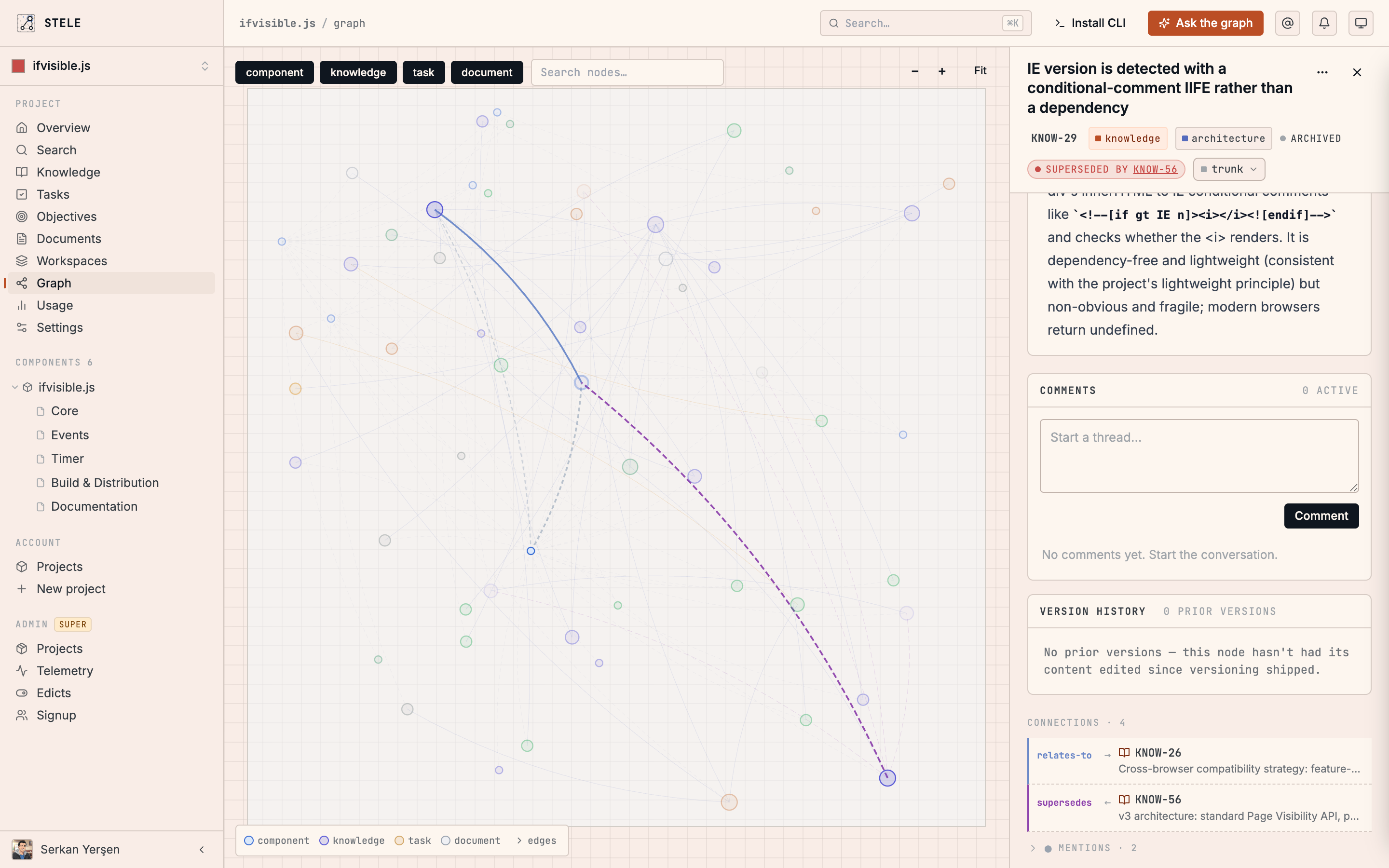
Where people read the record. The dashboard shows the graph, tasks, knowledge, documents, and objectives , and the links between them , so you can see the project being built alongside the code rather than buried inside it. It updates live: when an agent claims a task or writes a decision, you watch it land.
Working with a team
A project's record is shared, not personal. Invite teammates and everyone reads and writes the same live graph, so what one person's agent learns is immediately context for the next. Tasks belong to the project rather than an individual, and claims are atomic, so two people (or two agents) never start the same work by accident. Whether you're solo today or a small team, the record is the common ground everyone builds on.
An invitation is an offer, not a change. Opening the link in the email shows you the project, who invited you, and which of your accounts you'd be joining as — and nothing happens until you choose Accept or Decline. Declining is a real answer: the person who invited you sees it was turned down rather than left unanswered, and they can send a fresh invitation if you change your mind.
You don't need the email to get there. Any invitation addressed to you waits at the top of your projects list, so a lost link or a sign-in with the wrong account is recoverable — sign in as the invited address and it's there.
The CLI
stele is a single binary that handles sign-in, project setup, and a full read/write surface over the graph, on par with what agents can do. It's also how you run the local web server and manage your account. Most days your agent calls it for you, but it's there when you want to drive the record directly or script against it.
The CLI reference covers the full command surface.
The terminal UI
stele tui opens the record full-screen in the terminal: tasks, knowledge, documents, the graph and the assistant, keyboard-driven and updating live as your agents write. It's the dashboard's view without the context switch, for when you're already in a terminal and want to check what a task says or what the project decided.
The terminal UI covers what's on each screen and how to move around it.
The plugin, for agents
The plugin is how an agent's harness talks to Stele. It's two things working together:
- An MCP server that exposes the graph as tools the agent can call: reading context, creating tasks, writing knowledge, following links. When it runs locally, it can also verify an Operator task against trusted local Git state without accepting a worker's account of what changed.
- Lifecycle hooks that run automatically: one keeps relevant prior knowledge coming once the agent has said what it is working on, and surfaces a note the moment you edit a file it names. Others watch what files you read and keep the record fresh across a session.
The same plugin renders into each harness's native shape at install time: slash commands in Claude Code and Cursor, skills in Codex, Antigravity, and Copilot, a marketplace plugin in Grok Build, plugins in OpenCode and Kimi Code CLI, and a native TypeScript extension in Pi with prompt templates, compact recall receipts, and claimed-task status in the terminal , so the experience fits the tool you're already in.
DeepSeek Harness gets a native Cordis plugin and an in-app Stele panel. It also registers the full /stele-* workflow set and the read-only Stele search skill through dsh's native command and skill registries. The panel shows the current project, claimed task, graph nodes recalled, read, and written during the session, and the active workspace scope. You can search the graph from the composer, switch workspace scope, or pause recall for a few prompts without leaving the conversation. Node ids in assistant replies become clickable Stele references after the reply settles; hover one for a node preview without changing the conversation.
Two capabilities depend on what a tool's plugin surface can actually do, so they are not uniform. Pointing recall at a topic needs a channel that reaches one conversation only — Cursor's rule files are shared by every chat open on the repository, so the agent is told there that automatic topic recall is unavailable and uses direct lookups instead. File-anchored warnings need a tool boundary Stele can hook. Where the tool lets Stele watch but not write, the warning is held and delivered with your next message instead; Cursor has no such boundary wired yet, so it does not get them at all. Direct lookups, id references and search work everywhere.
Beyond the supported harnesses, any MCP-compatible client can connect to the Stele server directly and walk the same record, including agents that don't touch code at all. One URL connects ChatGPT, Claude, Cursor, VS Code, or anything else that speaks MCP — see Connect your AI agent.
The local MCP server and hosted MCP are available on every plan. Graph operations work through hosted MCP. Operator's oracle-integrity checks, execution-evidence attempts, and final commit binding need local repository access, so they run through local MCP or stele loop verify and stele loop attempt/finalize. Hosted MCP fails closed instead of pretending it inspected, executed, or rechecked local files.
Terminal multiplexer integrations
Multiplexer integrations are installed separately from coding-agent plugins. They observe Stele status around an agent session without changing how that agent connects to the record.
Herdr is the first supported multiplexer. Run stele install to enable the integration when Herdr is detected. Its plugin marks integrated agent rows with Stele and adds the claimed task id when one exists, so the sidebar stays readable no matter how long your project and workspace names are. Everything longer lives in a status popup: the agent's current intent, the full task, project, workspace scope, and whether a CLI update is waiting.
The popup opens on a key you choose. Install offers to bind one for you, and you can change it or add your own at any time:
[[keys.command]] key = "prefix+shift+s" type = "plugin_action" command = "stele.status.status" description = "Stele status"
prefix is whatever your own Herdr prefix is, so the default binding is that prefix followed by shift+s. If something already uses that key, install leaves it alone and hands you the block to place on a key of your choosing.
The assistant
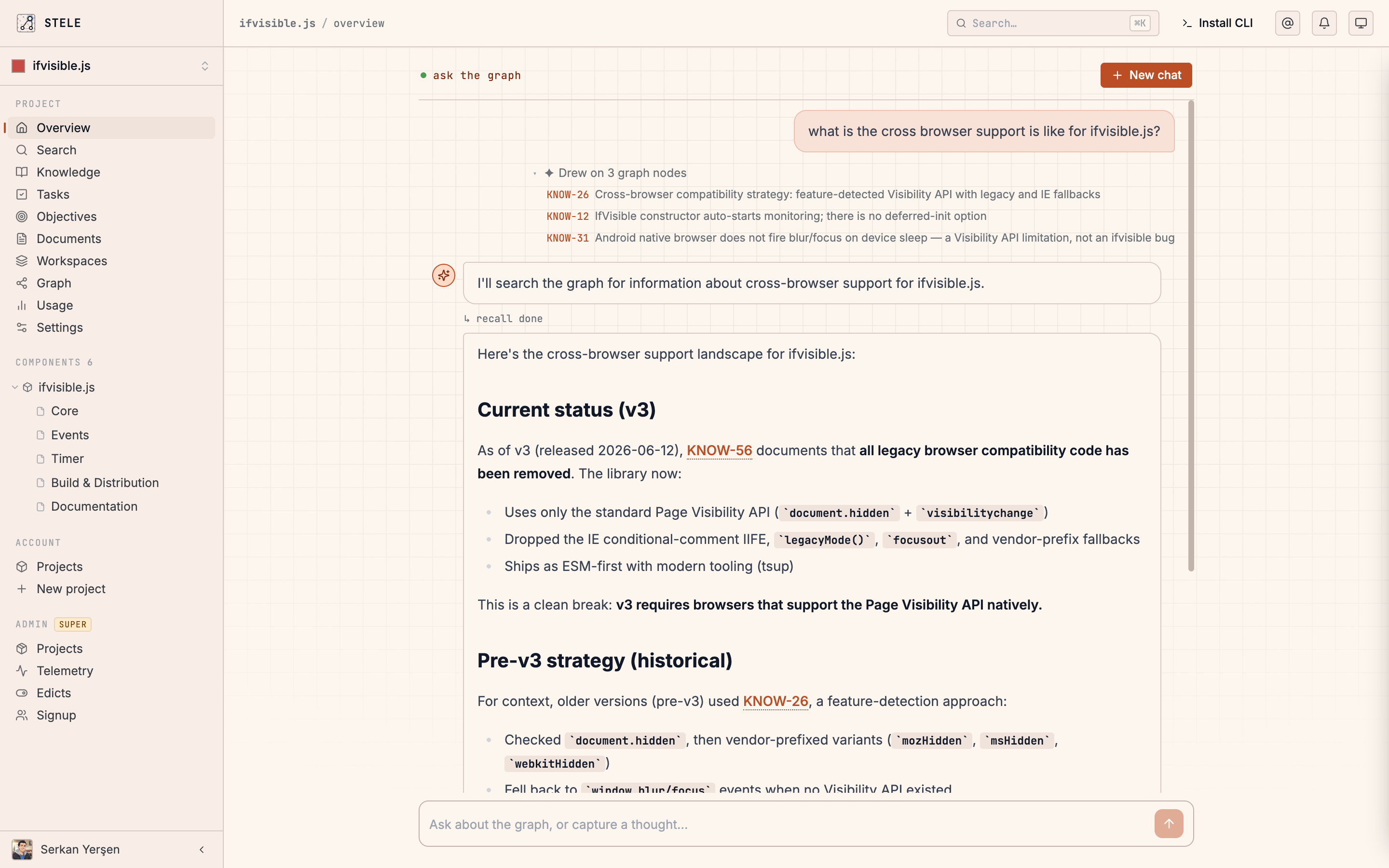
Built into the dashboard is an assistant that answers from your project's live graph. Ask it where things stand, why a decision was made, or what's blocking a release, and it walks the record to answer, citing the tasks and knowledge it drew on, so you can open them yourself. It's the fastest way for someone without an agent open to interrogate the project.
The assistant can act on the record as well as answer from it, and for anything that changes what the record shows by default, it checks with you first. Hiding a node is one of those; so is bringing a hidden one back, since un-hiding re-exposes something someone chose to make invisible.